

En Son Sürüm
Güncelle
Ekim 12, 2025
Ekim 12, 2025
Geliştirici
OQ Watchfaces
OQ Watchfaces
Kategoriler
Medya
Medya
Platformlar
Android
Android
İndirme
0
0
Lisans
₺53,99
₺53,99
Paket Adı
com.watchfacestudio.ab23.aab
com.watchfacestudio.ab23.aab
Bildir
Sorun Bildir
Sorun Bildir
Analog Basic 23 WEAR OS 4+ Hakkında Daha Fazla
=======================================================
NOTICE: READ THIS ALWAYS BEFORE AND AFTER DOWNLOADING OUR WATCH FACE TO AVOID ANY SITUATION YOU DON'T LIKE.
=======================================================
This watch face for WEAR OS has been made in Samsung Galaxy Watch face studio which is still evolving and has been tested on Samsung Watch 4 Classic , Samsung Watch 5 Pro, and Tic watch 5 Pro. It also supports other wear os 3+ devices. Some feature experience can be slightly different on other watches.
a. Visit this link to official Install Guide written by Tony Morelan. (Sr. Developer, Evangelist). For Wear OS Watch faces powered by Samsung Watch face Studio. It is very detailed and precise with graphical and image illustrations on How to install the watch face bundle part to your connected wear os watch. Here is the link:-
https://developer.samsung.com/sdp/blog/en-us/2022/11/15/install-watch-faces-for-galaxy-watch5-and-one-ui-watch-45
b.An effort also has been made to make a brief INSTALL GUIDE which is an image added with screen previews .It is the last image in previews of this watch face for newbie android Wear OS users or those who do not know how to install the watch face to your connected device. So it is requested to also make an effort and read it before posting cannot install statements
c. DO NOT PAY TWICE FROM WATCH PLAY STORE . READ The Install Guide Image again. See 3 x methods 100 percent working to install both phone app and watch app.
The watch face has following features:-
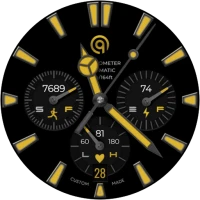
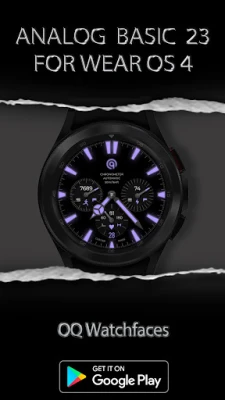
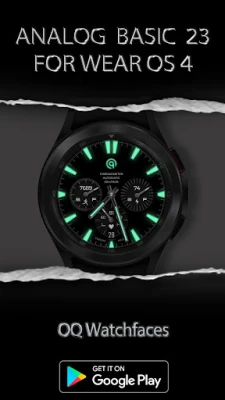
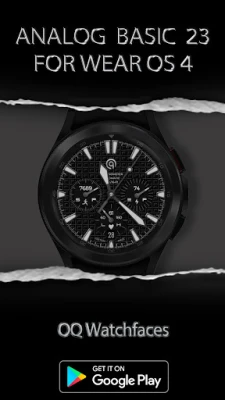
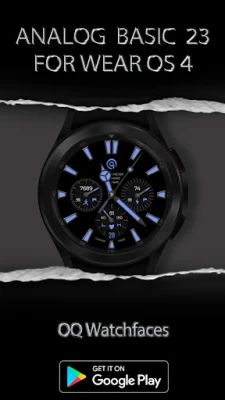
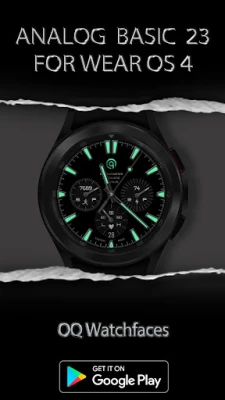
0. 3 x pair Of Hours & Minutes Hands are available via customization menu.
1. Tap at index bar at 9 'o' clock to open watch Google phone play store app.
2. Tap at index bar at 3 o clock to open watch phone app.
3. Tap at index bar at 6 o clock to open watch alarm app.
4. Tap at writing where Automatic is written below OQ logo to open watch calendar menu.
5. Tap On BPM Text or Reading and it will open Samsung Health Heart rate monitor.
6. Dim Mode is available for both Main and Aod Display via customization menu.
7. Seven x Customizable Complications are available to user in the customization menu. 4 x complications visible on main display and 3 invisible x complications shortcuts as well for you to place shortcut of your favorite apps.
8. Outer Minutes lines index color is off by default but you can turn it on via customization menu added an option for it. There is also another option to turn On/off gray minutes index lines in customization menu.
9. Seconds Movement can be changed as well from customization menu.
10. Tap on steps text data to open Steps data counter.
=======================================================
This watch face for WEAR OS has been made in Samsung Galaxy Watch face studio which is still evolving and has been tested on Samsung Watch 4 Classic , Samsung Watch 5 Pro, and Tic watch 5 Pro. It also supports other wear os 3+ devices. Some feature experience can be slightly different on other watches.
a. Visit this link to official Install Guide written by Tony Morelan. (Sr. Developer, Evangelist). For Wear OS Watch faces powered by Samsung Watch face Studio. It is very detailed and precise with graphical and image illustrations on How to install the watch face bundle part to your connected wear os watch. Here is the link:-
https://developer.samsung.com/sdp/blog/en-us/2022/11/15/install-watch-faces-for-galaxy-watch5-and-one-ui-watch-45
b.An effort also has been made to make a brief INSTALL GUIDE which is an image added with screen previews .It is the last image in previews of this watch face for newbie android Wear OS users or those who do not know how to install the watch face to your connected device. So it is requested to also make an effort and read it before posting cannot install statements
c. DO NOT PAY TWICE FROM WATCH PLAY STORE . READ The Install Guide Image again. See 3 x methods 100 percent working to install both phone app and watch app.
The watch face has following features:-
0. 3 x pair Of Hours & Minutes Hands are available via customization menu.
1. Tap at index bar at 9 'o' clock to open watch Google phone play store app.
2. Tap at index bar at 3 o clock to open watch phone app.
3. Tap at index bar at 6 o clock to open watch alarm app.
4. Tap at writing where Automatic is written below OQ logo to open watch calendar menu.
5. Tap On BPM Text or Reading and it will open Samsung Health Heart rate monitor.
6. Dim Mode is available for both Main and Aod Display via customization menu.
7. Seven x Customizable Complications are available to user in the customization menu. 4 x complications visible on main display and 3 invisible x complications shortcuts as well for you to place shortcut of your favorite apps.
8. Outer Minutes lines index color is off by default but you can turn it on via customization menu added an option for it. There is also another option to turn On/off gray minutes index lines in customization menu.
9. Seconds Movement can be changed as well from customization menu.
10. Tap on steps text data to open Steps data counter.
Uygulamayı Puanlayın
Yorum ve Değerlendirme Ekle
Kullanıcı Değerlendirmeleri
0 değerlendirmeye göre
Henüz değerlendirme eklenmedi.
SPAM, kötüye kullanım içeren, konu dışı, küfür barındıran, kişisel saldırı içeren veya herhangi bir türde nefret söylemi barındıran yorumlar yayınlanmak üzere onaylanmaz.








Daha Fazla »

Popüler Uygulamalar

Santander Connect UKSantander UK plc

Santander AmexBanco Santander (Brasil) S.A.

اسکل خان : فیلم و سریالHans Schmidt Koblenz

FreeReels: Dramalar ve DizilerSKYWORK AI PTE.LTD.

TUDU: YKS’ye HazırlanTUDU TEKNOLOJI AS

Çorak diyarın hikayesi: UyanışLunarite Studio

WhatsApp BusinessWhatsApp LLC

Safra Empresas: A sua conta PJBanco Safra SA.

Car Parking Multiplayerolzhass

WhatsApp MessengerWhatsApp LLC