
En Son Sürüm
Güncelle
Ekim 22, 2025
Ekim 22, 2025
Geliştirici
OQ Watchfaces
OQ Watchfaces
Kategoriler
Medya
Medya
Platformlar
Android
Android
İndirme
0
0
Lisans
Ücretsiz
Ücretsiz
Paket Adı
com.watchfacestudio.analogbasic
com.watchfacestudio.analogbasic
Bildir
Sorun Bildir
Sorun Bildir
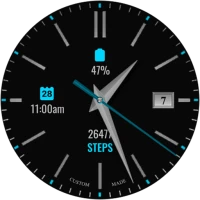
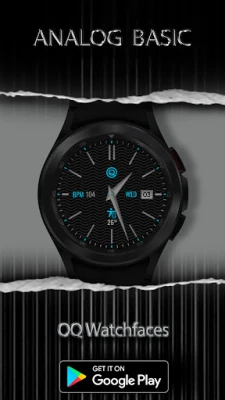
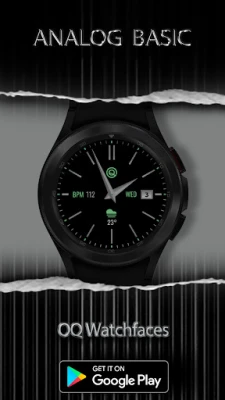
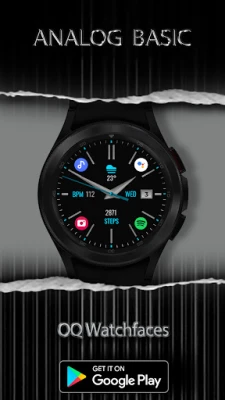
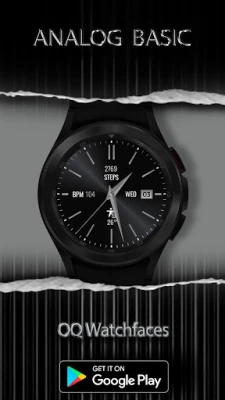
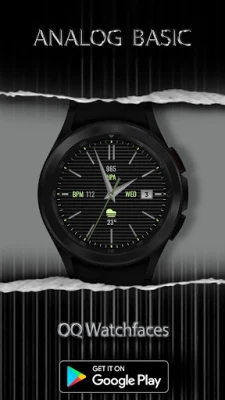
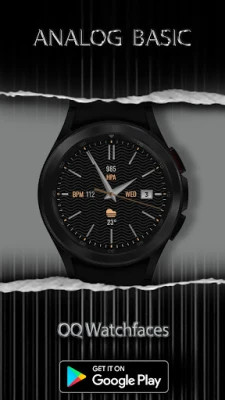
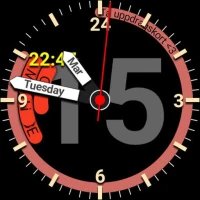
Analog Basic WF Wear OS 4+ Hakkında Daha Fazla
=======================================================
NOTICE: READ THIS ALWAYS BEFORE AND AFTER DOWNLOADING OUR WATCH FACE TO AVOID ANY SITUATION YOU DON'T LIKE.
=======================================================
a. This watch face contains a lot of options in customization menu.If for some reason it takes time to load customization options in Wearable app wait for at least 8 secs to let load up all customization menu options while opening on Galaxy wearable app.
b. An Effort has be done to make a INSTALL GUIDE which is attached as an image with screen previews.It is the last image in previews for newbie android Wear OS Users or for those who do not know how to install the watch face to your connected device. So it is requested to users to read it before posting cannot install statements reviews.
=======================================================
FEATURES AND FUNCTIONS
=======================================================
The watch face has following features:-
1. Tap on 12 o clock hour number to open watch Google Maps app.
2. Tap on 6 o clock hour number bar to open watch Google Play Store App.
3. Tap on 3 o clock hour index bar to open watch dial app.
4. Tap on 9 o clock hour index bar to open watch messages app.
5. Tap on Day Text to open watch Alarm app.
6. 1 x invisible complication customizable shortcut available via customization menu
7. 6 x customizable complications for main also available in customization menu.
8. You can turn Hands Color Off/On from customization menu now.
9. Seconds Needle movement style option can be selected from the customization menu.
10. Background styles are available in customization menu default is pure black.
11. Background style for AoD by default is pure black.
12 Dim Modes For Main and AOD available separately from customization menu.
=======================================================
a. This watch face contains a lot of options in customization menu.If for some reason it takes time to load customization options in Wearable app wait for at least 8 secs to let load up all customization menu options while opening on Galaxy wearable app.
b. An Effort has be done to make a INSTALL GUIDE which is attached as an image with screen previews.It is the last image in previews for newbie android Wear OS Users or for those who do not know how to install the watch face to your connected device. So it is requested to users to read it before posting cannot install statements reviews.
=======================================================
FEATURES AND FUNCTIONS
=======================================================
The watch face has following features:-
1. Tap on 12 o clock hour number to open watch Google Maps app.
2. Tap on 6 o clock hour number bar to open watch Google Play Store App.
3. Tap on 3 o clock hour index bar to open watch dial app.
4. Tap on 9 o clock hour index bar to open watch messages app.
5. Tap on Day Text to open watch Alarm app.
6. 1 x invisible complication customizable shortcut available via customization menu
7. 6 x customizable complications for main also available in customization menu.
8. You can turn Hands Color Off/On from customization menu now.
9. Seconds Needle movement style option can be selected from the customization menu.
10. Background styles are available in customization menu default is pure black.
11. Background style for AoD by default is pure black.
12 Dim Modes For Main and AOD available separately from customization menu.
Uygulamayı Puanlayın
Yorum ve Değerlendirme Ekle
Kullanıcı Değerlendirmeleri
0 değerlendirmeye göre
Henüz değerlendirme eklenmedi.
SPAM, kötüye kullanım içeren, konu dışı, küfür barındıran, kişisel saldırı içeren veya herhangi bir türde nefret söylemi barındıran yorumlar yayınlanmak üzere onaylanmaz.








Daha Fazla »

Popüler Uygulamalar

Santander Connect UKSantander UK plc

Santander AmexBanco Santander (Brasil) S.A.

اسکل خان : فیلم و سریالHans Schmidt Koblenz

FreeReels: Dramalar ve DizilerSKYWORK AI PTE.LTD.

TUDU: YKS’ye HazırlanTUDU TEKNOLOJI AS
Çorak diyarın hikayesi: UyanışLunarite Studio

Car Parking Multiplayerolzhass

WhatsApp BusinessWhatsApp LLC

WhatsApp MessengerWhatsApp LLC

ING Trader IQING YATIRIM