

En Son Sürüm
Güncelle
Ekim 20, 2025
Ekim 20, 2025
Geliştirici
OQ Watchfaces
OQ Watchfaces
Kategoriler
Medya
Medya
Platformlar
Android
Android
İndirme
0
0
Lisans
₺53,99
₺53,99
Paket Adı
com.watchfacestudio.cfw
com.watchfacestudio.cfw
Bildir
Sorun Bildir
Sorun Bildir
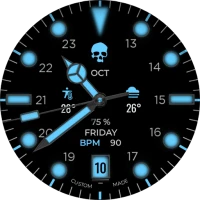
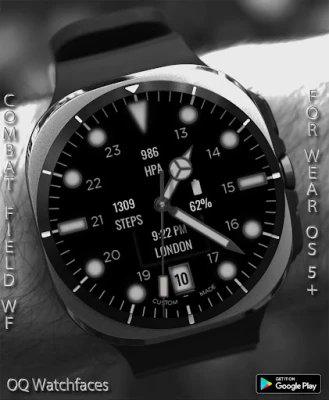
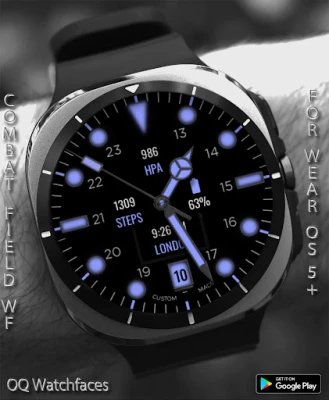
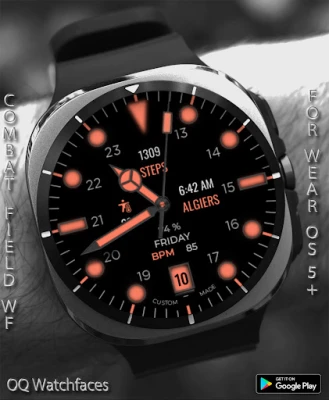
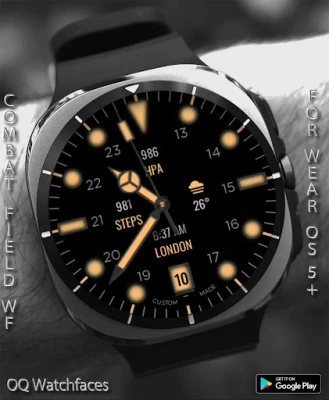
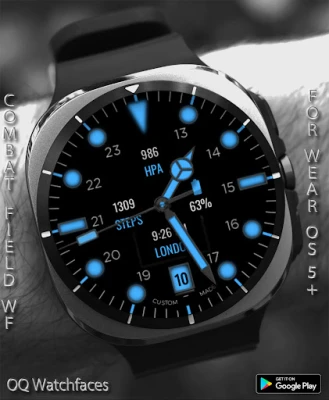
Combat Field WF Wear OS 5+ Hakkında Daha Fazla
=======================================================
NOTICE: READ THIS ALWAYS BEFORE AND AFTER DOWNLOADING OUR WATCH FACE TO AVOID ANY SITUATION YOU DON'T LIKE.
=======================================================
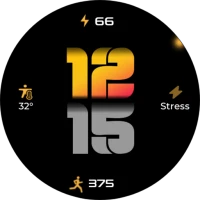
This watch face for WEAR OS has been made in Samsung Galaxy Watch face studio V1.9.5 September 2025 release which is still evolving and has been tested on Samsung Watch 8 Classic , Samsung Watch Ultra & Samsung Watch 5 Pro. It also supports other WEAR OS 5+ devices. Some feature experience can be slightly different on other watches.
This watch face for WEAR OS 5+ has following features:-
1. 4 x logos including the default one customizable via customization menu / You can also remove this by turning on the complication slot added on top of it . Customizable via customization menu.
2. Tap on minutes index circle at 1 o clock to open watch Google play store app.
3. Tap on minutes index circle at 11 o clock to open watch battery settings menu.
4. Tap at 12 o Clock to open watch settings menu.
5. Tap on minutes index circle at 4 o clock to open watch phone app.
6. Tap on minutes index circle at 8 o clock to open watch alarm app.
7. Tap on date text to open watch calendar menu.
8. Tap on minutes index circle at 5 o clock to open watch messaging app.
9. Just above Date where unveil the Heart Rate data, Day Text , & current battery percentage of the watch. If you Tap this Text data area it will hide it and show simple text only, Tap again and it will show the data for heart rate and battery. You can also hide this by adding a complication via complication slot available on top of it in customization menu.
10. 8 x Customizable Complications are available to user in the customization menu.
11. Dim Modes for both Main and AoD Display are available and select-able via customization menu.
12. Seconds Movement can be changed as well from customization menu.
13. Shadow on Top in Main Display can be switched off from customization menu.
=======================================================
This watch face for WEAR OS has been made in Samsung Galaxy Watch face studio V1.9.5 September 2025 release which is still evolving and has been tested on Samsung Watch 8 Classic , Samsung Watch Ultra & Samsung Watch 5 Pro. It also supports other WEAR OS 5+ devices. Some feature experience can be slightly different on other watches.
This watch face for WEAR OS 5+ has following features:-
1. 4 x logos including the default one customizable via customization menu / You can also remove this by turning on the complication slot added on top of it . Customizable via customization menu.
2. Tap on minutes index circle at 1 o clock to open watch Google play store app.
3. Tap on minutes index circle at 11 o clock to open watch battery settings menu.
4. Tap at 12 o Clock to open watch settings menu.
5. Tap on minutes index circle at 4 o clock to open watch phone app.
6. Tap on minutes index circle at 8 o clock to open watch alarm app.
7. Tap on date text to open watch calendar menu.
8. Tap on minutes index circle at 5 o clock to open watch messaging app.
9. Just above Date where unveil the Heart Rate data, Day Text , & current battery percentage of the watch. If you Tap this Text data area it will hide it and show simple text only, Tap again and it will show the data for heart rate and battery. You can also hide this by adding a complication via complication slot available on top of it in customization menu.
10. 8 x Customizable Complications are available to user in the customization menu.
11. Dim Modes for both Main and AoD Display are available and select-able via customization menu.
12. Seconds Movement can be changed as well from customization menu.
13. Shadow on Top in Main Display can be switched off from customization menu.
Uygulamayı Puanlayın
Yorum ve Değerlendirme Ekle
Kullanıcı Değerlendirmeleri
0 değerlendirmeye göre
Henüz değerlendirme eklenmedi.
SPAM, kötüye kullanım içeren, konu dışı, küfür barındıran, kişisel saldırı içeren veya herhangi bir türde nefret söylemi barındıran yorumlar yayınlanmak üzere onaylanmaz.








Daha Fazla »

Popüler Uygulamalar

Santander Connect UKSantander UK plc

Santander AmexBanco Santander (Brasil) S.A.

اسکل خان : فیلم و سریالHans Schmidt Koblenz

FreeReels: Dramalar ve DizilerSKYWORK AI PTE.LTD.

TUDU: YKS’ye HazırlanTUDU TEKNOLOJI AS

Çorak diyarın hikayesi: UyanışLunarite Studio

Car Parking Multiplayerolzhass

WhatsApp BusinessWhatsApp LLC

WhatsApp MessengerWhatsApp LLC

ING Trader IQING YATIRIM