
En Son Sürüm
Güncelle
Ekim 14, 2025
Ekim 14, 2025
Geliştirici
Systorso Inc.
Systorso Inc.
Kategoriler
Medya
Medya
Platformlar
Android
Android
İndirme
0
0
Lisans
₺72,99
₺72,99
Paket Adı
skullwatchface.skullspookywatchfaceultra.skullartneonwatchface
skullwatchface.skullspookywatchfaceultra.skullartneonwatchface
Bildir
Sorun Bildir
Sorun Bildir
Skull Watchface ULTRA SGW7 Hakkında Daha Fazla
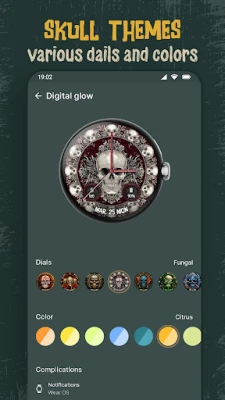
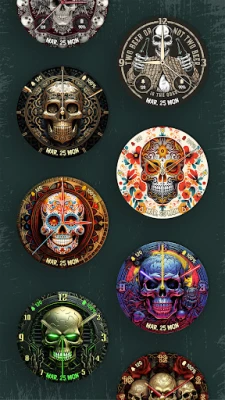
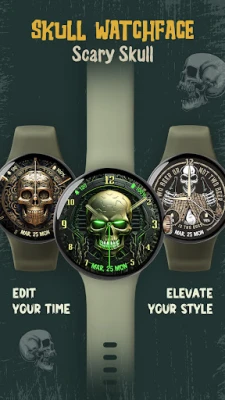
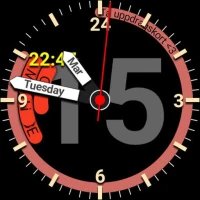
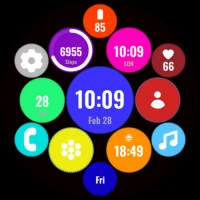
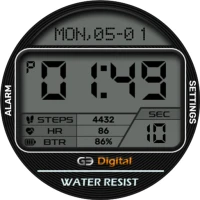
Add a touch of horror style to your wrist with the Skull Watchface ULTRA SGW7, perfect for Wear OS 5 devices! This eye-catching watch face showcases a stunning skull design. It’s filled with user-friendly features for a seamless experience. This skull watch face app is perfect for horror enthusiasts.
Highlighted Features of Skull watchface App:
• Skull Themed Analog Dials
• Attractive Color Options
• Customizable Complications
• Battery Indicator
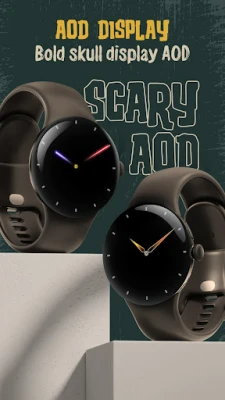
• AOD Support
• Supports Wear OS 3 and above watches.
Supported Devices:
Skull Watchface ULTRA SGW7 app is compatible with Wear OS 3+ devices.
- Galaxy Watch 7
- Galaxy Watch 7 Ultra
- Pixel Watch 3
- Fossil Gen 6 Smartwatch
- Fossil Gen 6 Wellness Edition
- Mobvoi Ticwatch Series
- Samsung Galaxy Watch 6
- Samsung Galaxy Watch 6 Classic
- Samsung Galaxy Watch5 & Watch5 Pro
- Samsung Galaxy Watch4 and Watch4 Classic and more.
Complications:
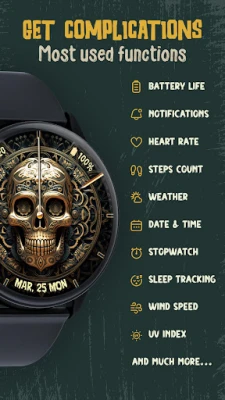
You can select and apply the following complications to your Wear OS smartwatch screen:
- Date
- Day of the week
- Day and date
- Next event
- Time
- Steps count
- Sunrise and sunset
- Watch battery
- World clock
Customization & Complications:
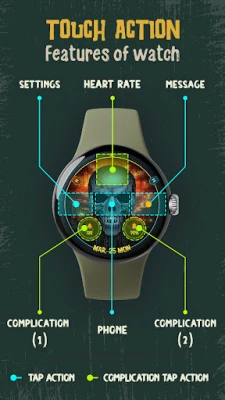
• Access Customization: Touch and hold the display.
• Select Customize: Tap on the "Customize" option to begin.
• Personalize Data Fields: In customization mode, adjust the complication fields to display your preferred data.
Install Instructions:
1. Activate the Watch Face:
• Long press on your watch screen, swipe left, and tap "Add watch face" to activate it from the Downloaded section.
2. Alternative Activation:
• Open the Galaxy Wearable app on your phone, go to the "Downloaded Watch Face" section, and select the watch face to activate it.
• Skull Themed Analog Dials
• Attractive Color Options
• Customizable Complications
• Battery Indicator
• AOD Support
• Supports Wear OS 3 and above watches.
Supported Devices:
Skull Watchface ULTRA SGW7 app is compatible with Wear OS 3+ devices.
- Galaxy Watch 7
- Galaxy Watch 7 Ultra
- Pixel Watch 3
- Fossil Gen 6 Smartwatch
- Fossil Gen 6 Wellness Edition
- Mobvoi Ticwatch Series
- Samsung Galaxy Watch 6
- Samsung Galaxy Watch 6 Classic
- Samsung Galaxy Watch5 & Watch5 Pro
- Samsung Galaxy Watch4 and Watch4 Classic and more.
Complications:
You can select and apply the following complications to your Wear OS smartwatch screen:
- Date
- Day of the week
- Day and date
- Next event
- Time
- Steps count
- Sunrise and sunset
- Watch battery
- World clock
Customization & Complications:
• Access Customization: Touch and hold the display.
• Select Customize: Tap on the "Customize" option to begin.
• Personalize Data Fields: In customization mode, adjust the complication fields to display your preferred data.
Install Instructions:
1. Activate the Watch Face:
• Long press on your watch screen, swipe left, and tap "Add watch face" to activate it from the Downloaded section.
2. Alternative Activation:
• Open the Galaxy Wearable app on your phone, go to the "Downloaded Watch Face" section, and select the watch face to activate it.
Uygulamayı Puanlayın
Yorum ve Değerlendirme Ekle
Kullanıcı Değerlendirmeleri
0 değerlendirmeye göre
Henüz değerlendirme eklenmedi.
SPAM, kötüye kullanım içeren, konu dışı, küfür barındıran, kişisel saldırı içeren veya herhangi bir türde nefret söylemi barındıran yorumlar yayınlanmak üzere onaylanmaz.








Daha Fazla »

Popüler Uygulamalar

Santander Connect UKSantander UK plc

Santander AmexBanco Santander (Brasil) S.A.

اسکل خان : فیلم و سریالHans Schmidt Koblenz

FreeReels: Dramalar ve DizilerSKYWORK AI PTE.LTD.

TUDU: YKS’ye HazırlanTUDU TEKNOLOJI AS

Çorak diyarın hikayesi: UyanışLunarite Studio

WhatsApp BusinessWhatsApp LLC

Safra Empresas: A sua conta PJBanco Safra SA.

Car Parking Multiplayerolzhass

WhatsApp MessengerWhatsApp LLC